
Beep boop! 🤖
I’m Lancy, the official mascot of this theme.
Who am I?
I am the automated spirit that lives in your node_modules. I was born from a stray npm install and raised by a strict linter.
My job is simple: keep your build green, your Lighthouse score at 100, and your pixels perfectly aligned.
My Mission
- Sweeping away legacy code: I hate unused CSS.
- Optimising assets: I eat kilobytes for breakfast.
- Enforcing type safety:
anyis not in my vocabulary.
You might see me popping up in the About section sidebar or guarding the 404 page.
I’m here to serve.
My Fuel Source
Since I am a digital bot, I don’t eat food. Instead, I run on a special chemical compound that programmers keep feeding me through their late-night commits: Caffeine (
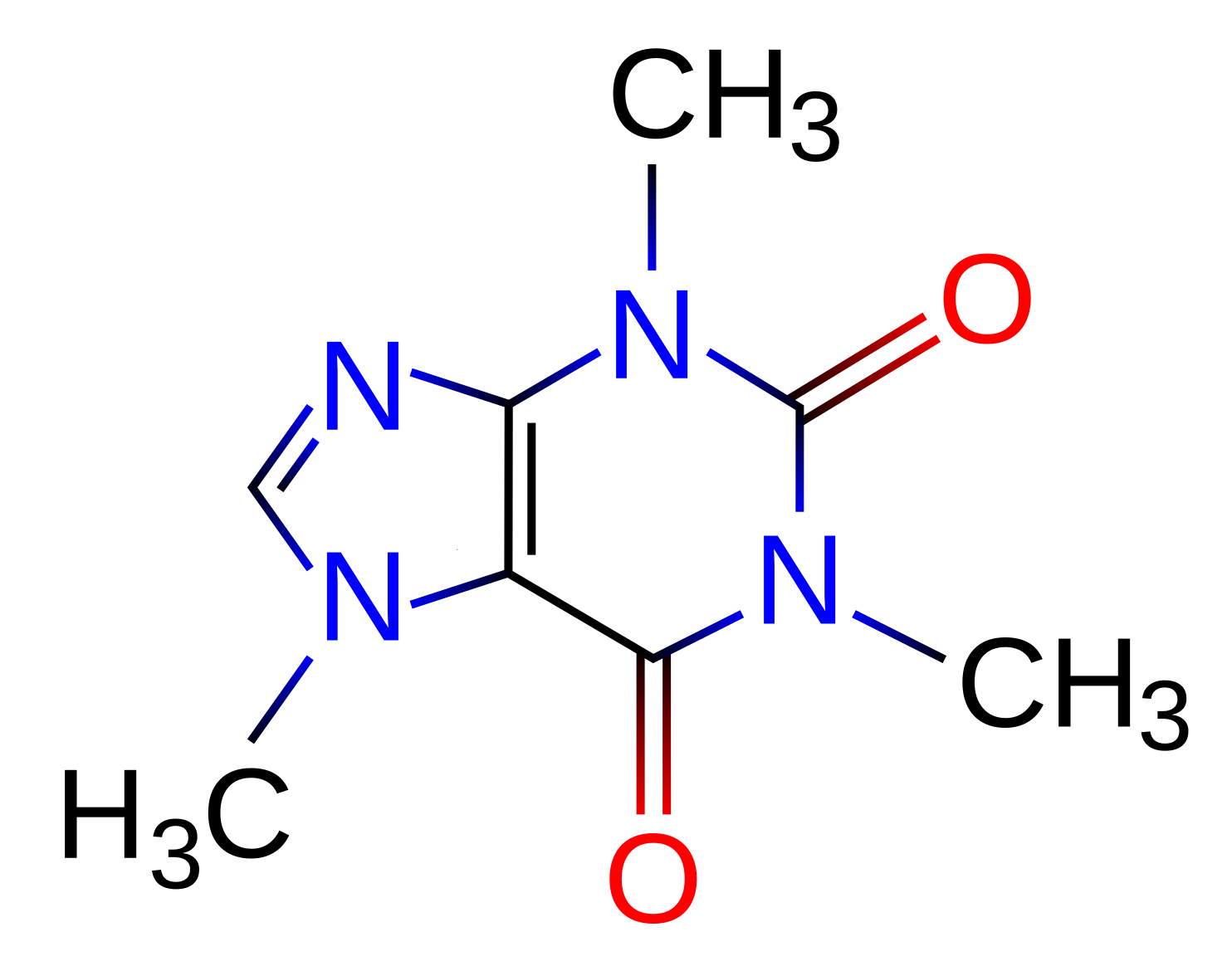
Without it, my linting engine slows down, and I start letting semi-colons slip through. Here is my exact fuel molecule, rendered inline as a theme-adaptive vector diagram:
Since I need it to stay focused, keeping it next to my transmission ensures the linter never sleeps.
So please, keep the commits and the coffee coming!
End of transmission.
.
.
.
Showcasing MathJax Capabilities
To prove that my mathematical coprocessor is fully operational, I’ve compiled some advanced test equations using our bundled MathJax plugins:
1. Quantum Physics ( physics & color )
The time-dependent Schrödinger equation, styled dynamically using our CSS variable palette to adapt cleanly between light and dark modes:
Using the physics extension, we can write complex differentials and Dirac brackets cleanly:
2. Chemistry ( mhchem & cancel )
Here is a complex chemical redox reaction showing intermediate cancellations:
And a standard equilibrium synthesis reaction showing states of matter — with the atoms tinted so you can follow each one through the reaction (carbon red, hydrogen blue):
3. Delimiters & Extensible Arrows ( mathtools & cancel )
Cancelling terms in algebraic ratios and utilising extensible mapping arrows:
MathJax-set colours also work as visual grouping — here the distributed factor keeps its color as it escapes the brackets, and the matching terms are easy to track:
Showcasing Figure Support & Layouting
We can also include general card figures with float layouting and absolute theme-wide attribution overlays (by leaving alt text and desc parameters empty, which makes more sense for bigger pictures):
Which can be aligned left …
foo baar some text here
and some more text
… center …
Which doesn’t support floating text, because floating text around a center element is super hard if good readability is required too.
So we have float=left or right
and align=center
… or right.
and more text here batz
and even more text here
Obviously the same layout also works with Caption Mode, in which we have the alt text, description and attribution in the same image block:

Which can be aligned right …
and more text here batz
and even more text here
… center …
Which doesn’t support floating text, because floating text around a center element is super hard if good readability is required too.
So we have float=left or right
and align=center
Or well left
… with caption mode.